Healthcare team scheduling
Know who’s
on next.
From morning rounds to overnight coverage, Numa brings your team’s schedule, shift swaps, and time-off requests together.
Web app · iOS (iPhone) · iPadOS · macOS · Android
The schedule at work.
For schedulers
Build the next block.
Schedulers build a draft and spot open shifts. If picking is enabled, staff can choose shifts. Administrators review coverage and hours, then publish the block.

Numa on your device.
Use your team login to go from planning a block at your desk to checking coverage between rounds.
- Open web app
Web app
Open the calendar in a desktop or mobile browser.
- View on the App Store
iPhone, iPad and Mac
Check your next shift on iOS, review requests on iPadOS, or build the block on macOS.
- Use Numa on Android
Android
Use Numa in your mobile browser while the Google Play listing is pending.
Preview web and Android screens
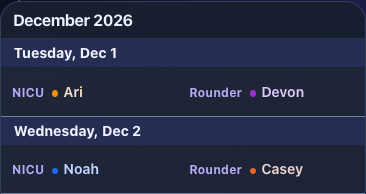
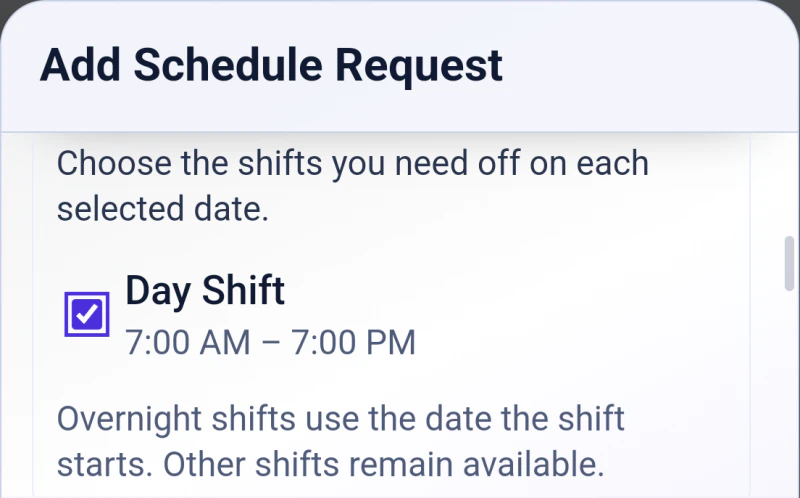
These previews use fictional team data.

Bring Numa to
your team.
Tell us which units you cover, how you build the schedule today, and what you want to bring into your first block.
How would we set up our first schedule?
Your administrator sets up locations and shifts, adds coworkers and their qualifications, and shares a location code with the team. A scheduler can then build the first work block and review coverage before publication.
Already invited? Sign in with the username and location code from your administrator.